 Processors
 Motherboard
 Memory (RAM)
 Storage Devices
 Graphic Card
 Power Supply
 CPU COOLERS
 Casings
 Cooling Fans & Controllers
 Casing Fans
 Fan Controllers
 Keyboard
 Keyboard & Mouse Combo Packs
 Mouse
Mouse Speaker
 Gaming Controllers
 Headset
 Web Camera
 Sound Card
 Bluetooth Adapter
 USB HUBS
 Microphones
 Mouse pad
 Brand New System Units
 Used System Units
 Brand New
 Recondition
 Monitor Arm
 Brand New Laptops
 Recondition Laptops
 Laptop Batteries
 Laptops Bags & Pouch
 Laptop Charges
 Laptop Cooling Fans
 Laptop Display
 Laptop DC Jacks
 Laptop Keyboards
 Laptop Protection Stickers
 Laptop Speakers
 Laptop Stands & Cooling Pads
 Access Points
 ADSL Routers
 Dongles
 Face Plate
 Mobile Wi-Fi Hotspot
 Network Switch
 Network Tools
 Network Cables
 Network Connectors
 Network Cards
 Telephone Cables & Accessories
 USB WIFI Adapters
 Unlocked Wi-Fi Routers
 USB /Type C Lan Adapters
 WIFI Extenders
 Ugreen Audio Cables & Sound Accessories
 Ugreen Converters
 Ugreen Car Chargers
 Ugreen Display Port Cable (DP)
 Ugreen HDMI Cable
 Ugreen Memory Card Readers
 Ugreen Network Accessories
 Ugreen Network Cable
 Ugreen Other Accessories
 Ugreen Phone Charges
 Ugreen Power Banks
 Ugreen Type C to C Cables
 Ugreen TYPE C HUB & CONVERTERS
 Ugreen Type C to Lightning Cables
 Ugreen USB to Type C Cables
 Ugreen USB HUB
 Ugreen USB to Micro Cables
 Ugreen USB to Lightning Cables
 Ugreen VGA Cable
 Baseus Car Chargers
 Baseus Converters
 Baseus HDMI Cable
 Baseus Network Cable
 Baseus OTG Connectors
 Baseus Other Prodcuts
 Baseus Phone Charges
 Baseus Power Banks
 Baseus TYPE C HUB & CONVERTERS
 Baseus Type C to C Cables
 Baseus Type C to Lightning Cables
 Baseus USB to Lightning Cables
 Baseus USB to Micro Cables
 Baseus USB HUB
 Baseus USB to Type C Cables
 SSD SATA 2.5”
 Pen Drive
 NVME
NVME External HDD
 Memory Cards
 Desktop Hard Drives
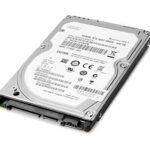 Laptop Hard Drive
 CCTV Hard Drives
 External SSDs
 M.2 SATA
 Cartridge Printer
 Ink Tank Printers
 Laser Printers
 Wi-Fi Printers
 Scanners
 Audio Converters
 Display Port Converters
 DVI Converters
 HDMI Converters
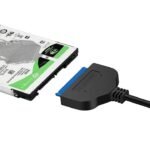 Hard Disk Converters
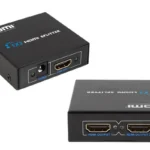 HDMI Splitter
 HDMI Switch
 OTG
OTG Other Converters
 Type C Hubs & Converters
 VGA Converters
 Cartridges
 ink Bottles
 Toners
 Ribbons
 Printer Drums
 Printer Heads
 Printer Spare Parts
 Barcode Scanner
 Barcode Printer
 Bill Rolls & Barcode Stickers
 Bill Printer
 Cash Drawers
 Line Interactive UPS
 UPS Batteries
 Router UPS
 Online UPS
 AA & AAA Batteries
 A4 & Computer Papers
 CMOS Batteries
 Capture Card
 Cleaning Tools & Accessories
 CCTV Cameras & Accessories
 Car & Bike Phone Holders
 Car Chargers
 External DVD Writers
 Empty CD / DVD
 Hard Disk Enclosures and Caddys
 Graphics Card GPU Holder
 Land Phones
 Memory Card Readers
 Power Extension Cords
 Power Banks
 Power Packs
 Phone Chargers
 Projector Presenters
 TV Stick & Screen Mirror Device
 THERMAL PASTE , THERMAL PAD & THERMAL PUTTY
 Tool Kits
 Tripods, Phone Holders, Ring Lights & Selfie Sticks
 Voice Recorder
 Protection Solutions
 Wall Brackets
 Audio Cables
 Display Port Cable
 DVI Cable
 Extension Cable
 HDMI Cable
 Lightning Cables
 Micro Cables
 Network Cables
 Optical Cable
 Parallel Cable
 Power Cables
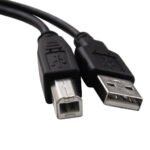 Printer Cables
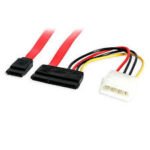 SATA DATA & Power Cables
 Type C Cables
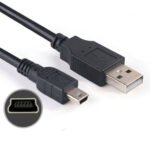 USB to Mini USB Cable (V3 Cable)
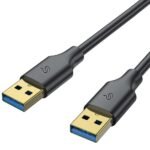 USB Male to USB Male Cable
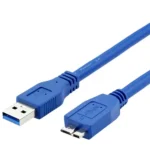 USB 3.0 Hard Disk Cable (External Hard Disk Cable)
 VGA Cable
 Promotions
 Shop
Shop Quotation
 Sold out


Lenovo L12M4E01 41CR19/66 Laptop Battery (for Lenovo G500S /G400S / G510S ) (6MW)
රු8,500.00
or 3 X රු3,166.67 with



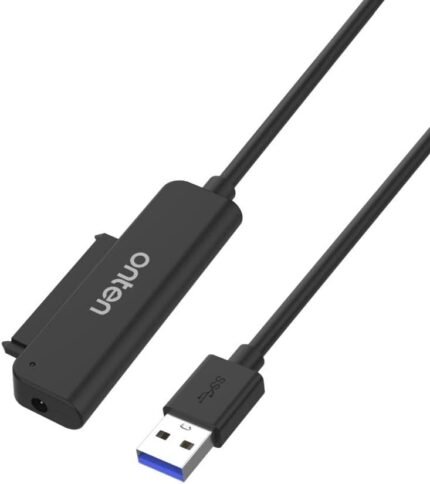
onten USB-A to SATA Adapter OTN-5211 (USB to SATA Converter) (6MW)
රු1,800.00
or 3 X රු3,166.67 with
රු9,500.00
or 3 X රු3,166.67 with

Description
Epson C9345 Ink Maintenance Box
(for Epson L6570 L15150 L15160 M15140 L8050 L18050)
C9345 Ink Maintenance Box also Works with:
- WorkForce EC-C7000
WorkForce Pro WF-7840
WorkForce Pro WF-7820
WorkForce ST-C8000
EcoTank Pro ET-16600
EcoTank Pro ET-16650
EcoTank Pro ET-5880
EcoTank Pro ET-5850
EcoTank Pro ET-5800 - Epson L15150
- Epson L15160
- Epson M15140
- Epson L8180
- Epson L6570
- Epson L8050
- Epson L18050
- Epson L6550
- Epson L6580
- Epson M15180
Replacement Steps
- Stop any active print jobs and make sure your printer is idle and not currently printing.
- Turn off the printer power if required by your specific model’s on-screen or manual instructions.
- Locate the maintenance box cover on the side, rear, or bottom of your printer (depending on your specific Epson model like the ET-8550 or L-series).
- Remove the screw using a screwdriver if your model has a secured cover, or press the release tabs to open or remove the compartment cover.
- Grip the old C9345 maintenance box firmly and pull it straight out.
- Keep the used box level at all times so that trapped waste ink does not spill or leak. Avoid touching the green electronic chip or the ink openings.
- Place the old box directly into the plastic bag supplied with your new replacement unit and seal it tightly.
- Unseal the new Ink Maintenance Box C9345 . Avoid touching its green chip or removing any protective film that shouldn’t be peeled.
- Push the new maintenance box fully into the holder in the correct orientation.
- Reattach the compartment cover and secure it with the screw or snap it back into place.
- Turn on the printer and follow any remaining prompts on the LCD screen to confirm the reset or completion of the installation.
Shipping and Delivery